Web design is complex. You’ve gotta know code, design, digital marketing. The list goes on and on. But, what are the main web design principles for beginners? What’s the good stuff. The meat and potatoes?
I’ve had over 10 years of experience in web design. And, I’ve done my darndest to condense everything you need to know into a simple guide.
I think I once read Seth Godin say, “I didn’t have a ton of time. So, I wrote a really long response.” Maybe it wasn’t him. But, this is as short as I could go get it, AND hopefully, it’s helpful.
If you want to build great websites, you can basically boil everything you need to know about design to just three things:
- Layout
- Color
- Typography
Psst…I go into more detail on how to make websites that stand out in this article.
Don’t want to read nearly 1,000 words on web design principles for beginners? Here’s a video instead:
Web Design Principles for Beginners: Understanding Layout
A great website isn’t just about looking good—it should guide users toward the website’s main goal. That goal could be making a purchase, signing up for a newsletter, or filling out a contact form. The way you structure your website layout influences how users interact with your content.
The Truth About the “F-Pattern”
You might have heard that users engage with websites in an “F-pattern,” meaning they scan from left to right, then down, then left to right again. However, this is outdated information. People interact with websites in many different ways, so forcing them into an F-pattern might cause them to miss important information.

The Power of Visual Hierarchy
Instead of relying on outdated scanning patterns, use visual hierarchy to guide users through your site. This means making the most important elements—like headlines and calls to action—big, bold, and prominent. Less important elements should be smaller and less noticeable.
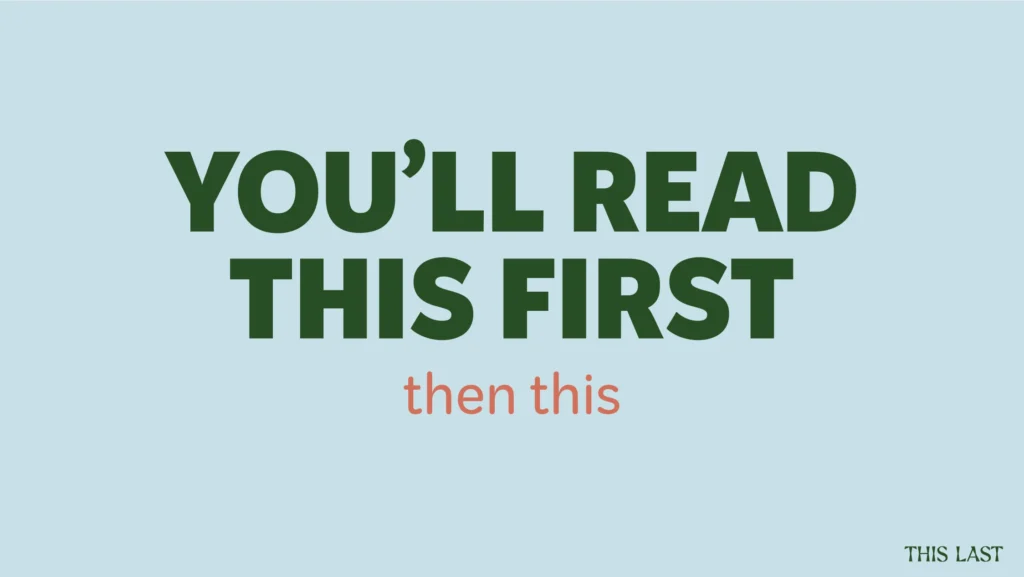
For instance, when designing buttons, contrast is key. A call-to-action (CTA) button should stand out from the rest of the page so users are naturally drawn to it. Avoid ghost buttons (buttons that only have an outline and no solid background), as they are easy to overlook and result in fewer clicks.
Web Design Principles for Beginners: Mastering Color
Color plays a huge role in usability and brand recognition. Every website should have a color palette that aligns with the brand while also maintaining usability and accessibility.
The Importance of Accessibility
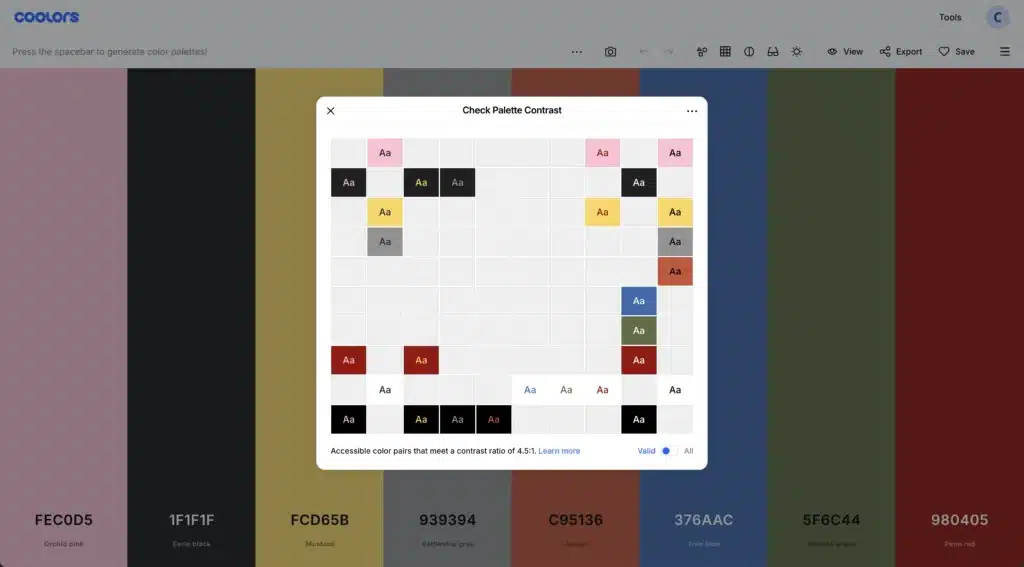
Choosing colors with high contrast ensures that all users, including those with visual impairments, can read and navigate your site easily. If your color contrast is too low, text may be difficult to read, leading to a poor user experience.
One tool to help with this is Coolors.co, which allows you to input your brand colors and check their contrast levels. This ensures your text remains legible for all visitors.
The 60-30-10 Rule
A simple way to structure your website’s color scheme is by following the 60-30-10 rule:
- 60%: Dominant neutral colors (grays, blacks, whites) for the background and general structure.
- 30%: Brand colors that represent the business identity.
- 10%: Accent colors that highlight important elements, such as call-to-action buttons.
While this rule isn’t set in stone, it’s a great starting point, especially for beginners.
Web Design Principles for Beginners: Typography That Works
Typography is one of the most underrated design elements, yet it has a massive impact on readability and user experience. A good font choice can make or break your design.
The Three Main Text Elements
Every website should prioritize three main text styles:
- H1 (Main Header) – The largest and most important text on the page, defining the page’s topic.
- H2 (Subheadings) – Helps break up content and guide readers through the page.
- Paragraph Text (Body Copy) – Should be simple and highly readable; avoid decorative fonts.
When selecting fonts, keep readability in mind. Decorative fonts may look stylish, but they make reading difficult, which can drive visitors away.
Why Conversion Matters More Than Aesthetics
A beautiful website without good conversion practices is useless to your clients. A well-designed site should reduce friction for users and make it easy for them to take action. If visitors can’t find what they need quickly, they’ll leave.
How to Improve Website Conversions
- Clarity: Clearly state what the website is about and what users should do next.
- Scannability: People scan websites instead of reading every word. Use headings, bullet points, and short paragraphs to improve readability.
- Motivation: A great website speaks to the user’s emotions and motivations, convincing them to take action.
Designing for the Right Audience
A major mistake new designers make is creating websites based on personal preferences rather than the target audience’s needs. It doesn’t matter if you or your client love the design—what matters is whether it works for the intended audience.
Research Your Audience
Before choosing fonts, colors, and layouts, take time to understand your audience. Who is visiting the website? What are they looking for? What style resonates with them? When you design with the end-user in mind, your websites will be far more effective.
Never Stop Learning: The Key to Long-Term Success
The web design industry evolves quickly, and what worked five years ago might not work today. If you don’t keep up with new trends and best practices, you’ll fall behind.
The AI Factor in Web Design
AI won’t replace skilled web designers, but it will replace lazy ones. To stay competitive, you need to adapt, learn new techniques, and continuously improve your skills.
Final Thoughts on Web Design Principles for Beginners
Mastering web design principles for beginners means understanding layout, color, typography, and conversion-focused design. By implementing visual hierarchy, choosing accessible colors, using clear typography, and designing with the audience in mind, you’ll create websites that look great and drive results.
The web design world moves fast, but if you keep learning, improving, and adapting, you’ll always stay ahead.
Ready to take the next step? Check out my other resources on learning web design from scratch, and don’t forget to subscribe for more expert tips!
Leave a Reply
This free, 4 video course will give you all the tools you need to start freelancing as a web designer & earning extra money.
• How to get started from scratch
• How to find your first clients
• How to charge higher rates
Become a web designer and land high-paying clients


I so loved with your content
Thank you!