Hey! You know that website you thought was going to be an easy project? The reason it’s not, and the reason you’re frustrated is because you botched the website discovery process.
Listen, it happens to all web designers. It’s happened to me MUCH more often than I’d like to admit.
Maybe it’s my ADHD. Maybe it’s the fact that I just love being helpful and have a hard time saying no (or what some people have scandalously started calling a “people pleaser”).
But, thankfully, there is a sure fire way to avoid getting to the middle of a web design project and realizing you’re in for more than you bargained for.
It’s all about the website discovery process and it’s an essential aspect to make sure you know what you’re getting into before you say yes. And, were’ going to go through my own process that I’ve developed from years of helping clients redesign and build websites from scratch.
Oh, also, I’ll give you a few freebies that will help you with it all.
Why Have a Website Discovery Process
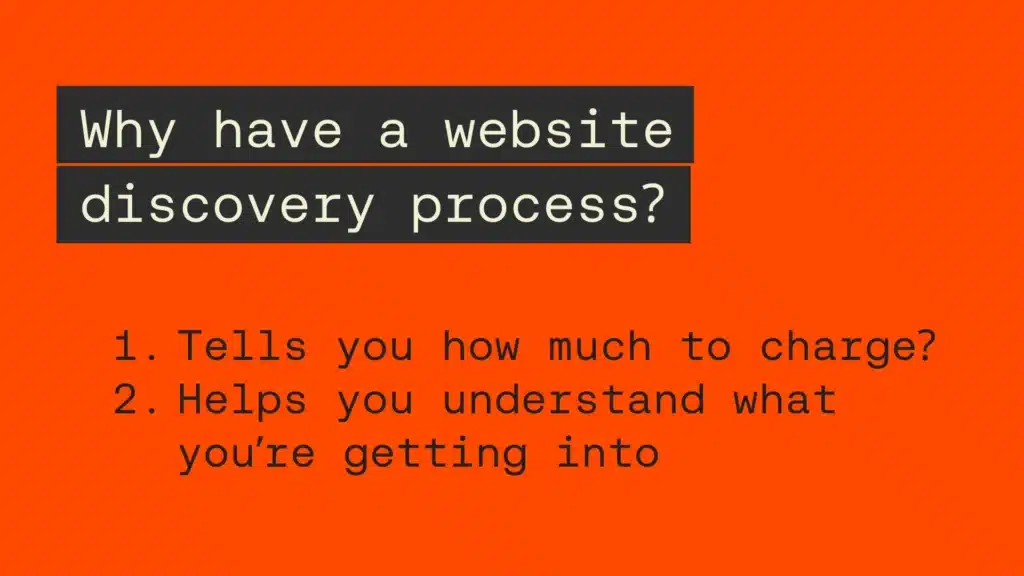
During you’re website discovery process you need to look for anything that might signal that the project is going to be more and more complicated.
A more complicated website would call for a higher price.
The whole idea is that you don’t want to get to the end of the project and realize the amount of hours you’ve worked versus how much money you’re getting paid puts you at an hourly rate less than what you’d be comfortable with.
Setting Some Expectations with the Website Discovery Process
You’ve got to know a few things before we dive to deep into the website discovery process.
First, there’s really know way to ABSOLUTELY avoid any and all frustrating scenarios with a project or a client. The creative process isn’t known for being easy. In fact, it’s pretty painful.
But, that struggle can lead to some beautiful things.
Can you avoid major pitfalls? Absolutely. But you’re not going to eliminate the struggle altogether. So, it’s probably better to accept that every project will come with it’s fair share of tough moments.
You Won’t Be Able to Figure Out Everything With a Website Discovery Process
Second, a lot of times you won’t be able to really suss out every single thing that could go sideways before you’re knee deep in the project itself.
Try as you might, there will inevitably be things that won’t come to light until you’re in the middle of them. It’s like every episode of Fixer Upper with Chip and Joanna Gaines.
They have a budget and things are going along swimmingly. But, during demo day, they pull up a floor board and find a truss has been rotting for quite some time.
So, Chip makes the call to let the owners know it’s going to be another $5,000. Why is always $5,000 by the way?
The same is true for web design projects no matter how ironclad your website discovery process is.
So, rather than get surprised when it happens, plan for it! Put it in your budget. Put it in your timeline. That way you aren’t steaming mad when it does happen.
Your Clients Aren’t Pulling a Fast One
Finally, you’re clients probably AREN’T trying to pull a fast one on you.
I get it. I’ve been there.
You’re up late to keep a project on task FUMING. You can’t help but think the client knew it was going to be this bad. They just didn’t tell you everything because they wanted to keep the cost down.
That’s likely not what happened. It’s more likely that your clients have no clue what’s going on behind the scenes of their website. They have no clue about what it takes to redesign a website or build it from scratch.
That’s why they’re hiring you.
The problems you discover will surprise them just as much if not more than anyone else.
So, show them some grace and be willing to to give them the benefit of the doubt.
RELATED ARTICLE:How to Start a Freelance Web Design Project the Right Way
Website Discovery Process Step 1: The Discovery Call
Repeat after me, “I will never say yes to a project without having multiple live conversations with the client?”
I made this very costly mistake once and only once. A client was keen to work with me. They sent a contract through as well as the deposit and I signed on the dotted line without so much as talking to them.
I was on a trip with my then girlfriend, now wife Sarah when I got a call. “WordPress! What do you mean you’re using WordPress!”
The client was mad that I had suggested WordPress as the platform to user for her project. The problem was I’d only ever built sites on WordPress at that point.
How did this really essential piece of information get missed? Because I didn’t even have a conversation.
You can avoid SO MUCH heartache by making sure to jump on a zoom call and hash out the details.
Discovery Call Essentials
The discovery call is a lot of things including a chance to sell yourself to your potential client. BUT, it’s also big piece of the puzzle for your website discovery process.
It’s here you’re trying to uncover any big problems the client has with their website. It’s very likely you won’t learn EVERYTHING THERE IS TO KNOW just by talking to them. But, it’s a great start.
By the end of the call you want to make sure you know:
- What their current site (if they have one) was built on ie WordPress, SquareSpace, Showit etc.
- How many pages they currently have.
- If the website was built by a third party or if it was DIYed.
- Where their domain is or what registrar they used.
- Have they been maintaining it themselves?
- When was the last time they updated it?
- What kind of functionality does the site currently have?
- Do they have Google Analytics up and running?
- Do they have it set up with Google Search Console?
And, that’s just the questions about the current website! If you want to start the project out the right way, you need to also get an idea for what they plan on doing with their new website!
Understanding The Client’s Hopes & Dreams for Their New Site
No website discovery process would be complete without trying to understand why the client is wanting a new website.
So, you also have to dig into some of their business and website goals. One of the most important questions I ask upfront is: “Why do you need a new website?”
Believe it or not, sometimes the thing the potential client is trying to accomplish doesn’t really require a new website. It might be that they just need to figure out some development issues. Or maybe it’s an SEO issue.
Have you ever heard the expression, “If the only tool you have is a hammer, then every problem looks like a nail?”
Don’t let that be true for you. Try to think holistically about your potential clients business and help them make the best decision.
A few other questions that help you uncover what you’re client is really hoping their new website will do for them and their business are:
- Where do you see your website in terms of priority for your business?
- What’s frustrating you about your current website?
- If you had one wish from the website genie what would you want granted?
- What’s the main goal of your website?
- How much are you hoping your business will grow this next quarter, 6 months, year?
- What are the biggest things holding you back?
- What things are you most excited about in your business?
Some questions in this step of the website discovery process might not be directly related to the website itself, but there still an essential step.
Your discovery would be incomplete if you JUST learn about the website. You also need to learn about the owner of that website. They’re a big part of how much you should bid on the project.
RELATED ARTICLE: How to Start a Freelance Web Design Project the Right Way
Website Discovery Process Step 2: Website Walk Through
This step of the website discovery process has you put yourself in the seat of a first time visitor. This is what’s known as the user experience. And, you’re going to be doing what’s commonly referred to as a heuristic evaluation.
The main idea is that you want to sit down and walk through the website as if you were a user trying to accomplish a task. Maybe that’s to buy a product. Maybe it’s to set up a phone call.
That goal should be aligned to answers from the last step of the website discovery process.
You take note of things that catch you off guard or don’t quite make sense and write those down either on a document or on some paper.
Did something happen you weren’t expecting? Did something not happen that you WERE expecting? Does the flow all make sense?
Jake Nielson’s 10 Usability Heuristics
The gold standard for a heuristic evaluation comes from Jake Nielson’s 10 Usability Heuristics. We’re not going to use all of them because they don’t necessarily relate to websites as much as apps. But, let’s run through the important ones so you know what you’re looking for.
- Visibility of System Status
This is the idea that a good website or app keeps users informed about where they’re at and what’s going on. Are there loading indicators when they submit a form? Can they easily recognize what page they’re on? All those questions help to let you know where the websites at with this check. - Match Between the System and the Real World
This check evaluates how much the website would make sense to a common person and not someone who’s steeped into the area of expertise associated with the website’s topic. - User Control and Freedom
This evaluates how easy it would be for someone to backtrack their steps if they want to. So, let’s say they’re checking out but realized right before they hit the buy button that they input their email incorrectly. How tough would it be for them to go back and fix that? - Consistency and Standards
There are patterns in the web world that people are just used to. For instance, most inline links are underlined or at least a different color that it’s surrounding text. If a website doesn’t follow that rule, users will have a tough time knowing there’s anything to click. - Error Prevention
Errors on websites happen. People hit 404 pages or they incorrectly fill out a form. This evaluation asks if everything was done to make sure those errors were avoided. If a user has to create a password did they make the requirements clear? Are there unnecessary links to pages that don’t exist anymore? - Recognition Rather Than Recall
This checks to see whether or not users have to work hard to know what’s going on. I see this come up A LOT with the users next step. So, they’ve come to your website and they’ve decided they want to buy your product or work with you or whatever. What’s the next step? Is it easy to know what to do? If not you’ve got problems. A few other things are is the text split up in such a way that’s easy to skim? Are their headers? Bullets? Icons? All that will help. - Skip
- Skip
- Help Users Recognize, Diagnose, and Recover from Errors
This check evaluates whether or not a user would know what happened if something went wrong. For instance, I hate when a forms error messages are ALL THE WAY at the top of the page. So, you fill out a form. Submit it and it tells you something went wrong. So, you have to scroll all the way up to see what happened. That’s bad UX. - Help and Documentation
This one evaluates whether or not someone would know how to get help if something goes wrong and the answer isn’t intuitive.
Chris’ Heuristic Evaluations
All those things are great BUT I have a few that I always check as well. So, here are Chris’ Usability Heuristics.
- Does the User Journey Make Sense?
Every site has a purpose. We hope the user ends up somewhere. Where is that AND is it easy for them to get there? Are there dead zones where they can’t access that endpoint? Do they have to take multiple steps just to get there? - Does Everything Work As Expected?
This one matches Nielson’s “Consistency and Standards” heuristic but encompasses a bit more. It mainly ask the question, “When a user takes an action, does what comes next line up with what the user was expecting?” Or was their an error? Did they click and link and nothing happen? Or did it go to a different page then what they were expecting? - Is Everything Scannable?
People don’t read websites. They scan them. So, as you’re looking at the website, ask yourself whether or not it’s easy to scan. This one leans into the “Recognition Rather Than Recall” check from Nielson BUT it also has to do with whether or not the visual elements align with the copy. You wouldn’t want a sad face image next to a paragraph that’s happy, right? That doesn’t make sense. Anything that forces a user to pause and think about what they’re looking at is less scannable.
You’re well on your way if you’ve got a good sense of how things are working after walking through the website and asking yourself those questions.
Website Discovery Process Step 3: Evaluating the Content
The next step in our website discovery process is to evaluate the content. This isn’t so much looking at the UX or flow of things as much as it is looking at the copy and the images.
Two key things to consider here:
- Current content vs. content changes
- Technical SEO
Let’s talk about each of those and what to look for
Current Content vs. Content Changes
A 5 page website might sound like a quick project. Until you realize that each page has 10,000 words and 100’s of images.
I made this mistake once. I charged my normal rate for a landing page. But, then the client sent over the copy, and it was a book’s worth of text.
It took me nearly two weeks when normally it takes me 2 days max.
So, make sure you have a peak at the current website to see how much copy and images are there.
If it’s a new build then make sure you know how much copy they’re going to be sending you OR set a limit in your contract.
You also want to keep images in mind. If they have a lot of images, you might need to reformat them or compress them AND add alt descriptions.
On the other hand, if they don’t currently have a lot of images but want to add more you might have to go on the hunt to get stock photos. That takes precious time that could whittle away at your profits.
Technical SEO
The next thing you want to look at is SEO, specifically, Technical SEO. Technical SEO can get really hairy.
If they’ve done a good job before they get to you, then you need to make sure you keep good records of their old site AND plan for the redesign.
If they’ve done a bad job then you might have your hands full adding redirects and hunting down broken links.
Even if it’s a new build, you might have a lot of work to do getting things set up properly.
Screaming Frog SEO Spider
A tool I love to use when I’m checking out a website’s SEO setup is Screaming Frog SEO Spider.
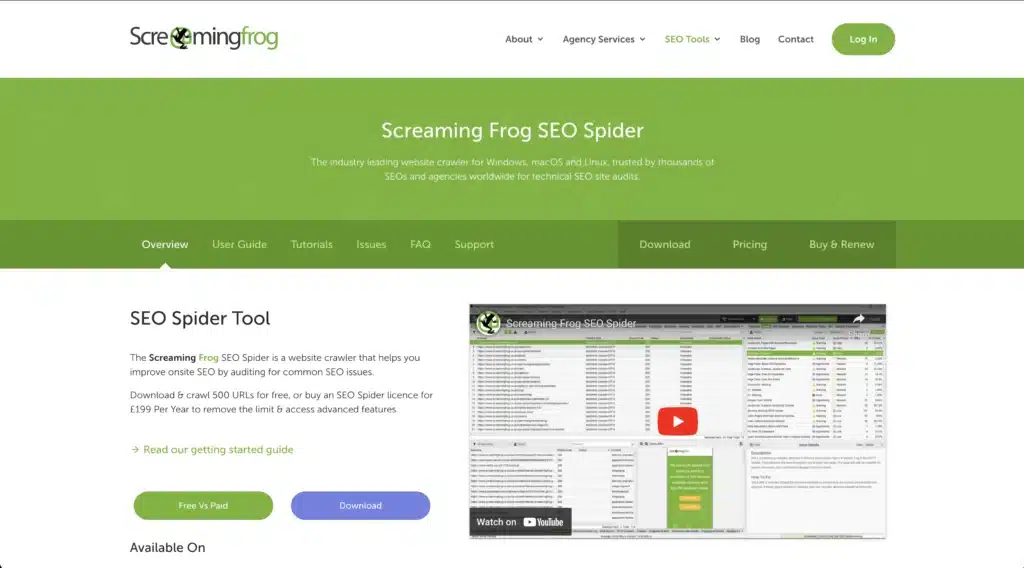
It crawls each page and looks up each meta description, image alt tags AND 404 responses. It’s a great first step in evaluating things.
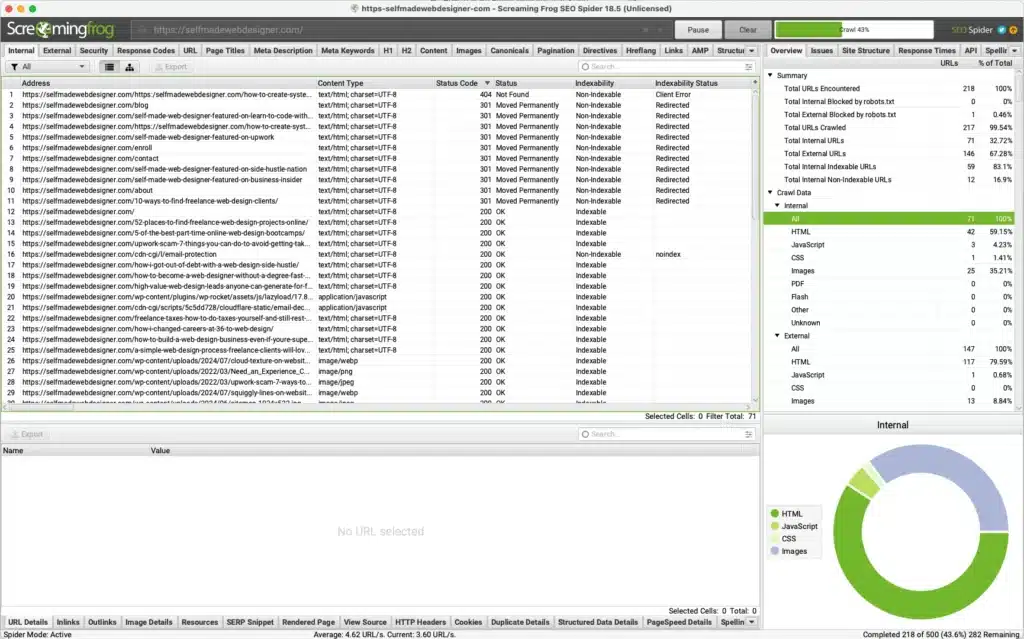
You can even export the findings and save them in a spreadsheet for easy access.
You also get bonus points if you get access to their Google Analytics and Search Console to check out how well different pages are performing.
The main thing with Technical SEO and the website discovery process is just to realize it’s going to take some time no matter what the scenario. The worse the scenario the more you should charge OR AT LEAST have a conversation with the client about expectations.
RELATED ARTICLE: How to Master SEO for Showit Websites (The Ultimate Guide)
Website Discovery Process Step 4: Behind the Scenes
The final step in the website discovery process is getting access behind the scenes. AKA, you need to be able to login to their CMS or get FTP access to look at how their code is set up.
Sure, they might be switching CMS platforms. But, you might be in for a heavy workload if they’re last setup was super complicated with a lot of plugins or workarounds.
This step can go in a lot of different directions depending on what platform their last site was built on and if they’re switching to a new platform.
The main thing to look out for are any custom solutions that might take a lot of dev work for their new site. That could look like a custom plugin to help with a WooCommerce website OR custom dev work for a Shopify shop.
Hopefully, the client will have an idea of what was done on their website. But, you never know.
You also want to want to see how organized and clean things are. It could be a tougher project if files are all over the place or there’s just TONS of plugins doing all sorts of different things.
Final Thoughts on the Website Discovery Process
At the end of the day, you won’t be able to figure EVERYTHING OUT no matter how good your website discovery process.
It’s very similar to a dating relationship before you decide to get married. Sure, you want to go into another level of commitment with your eyes wide open about what a future life could look like with that person.
But, it’s almost impossible to know what life will REALLY look like until you’re in.
So, yes, do your due diligence. Don’t close your eyes and stick your fingers in your ears hoping it all works out.
Even if it’s a tougher project than what you were first anticipating, AT LEAST YOU KNOW. It doens’t necessarily mean you don’t take the project.
It just means you know what you’re getting into.
So, get out there. Walk through the website discovery process, and go for it.
Leave a Reply
This free, 4 video course will give you all the tools you need to start freelancing as a web designer & earning extra money.
• How to get started from scratch
• How to find your first clients
• How to charge higher rates
Become a web designer and land high-paying clients

